
Security & Recovery
Hacked WordPress Repair, Malware Removal & SEO Spam Cleanup
If your WordPress site is hacked, showing spam in Google or redirecting visitors, I clean it at the source, close the hole the attacker used and get the spam pages out of Google's index. You get a clean, hardened site, a written report of what was found and monitoring so it doesn't happen again.
- Building for clients since 2021
- 25+ live client websites
- Clients in the US, UK, Canada & Europe
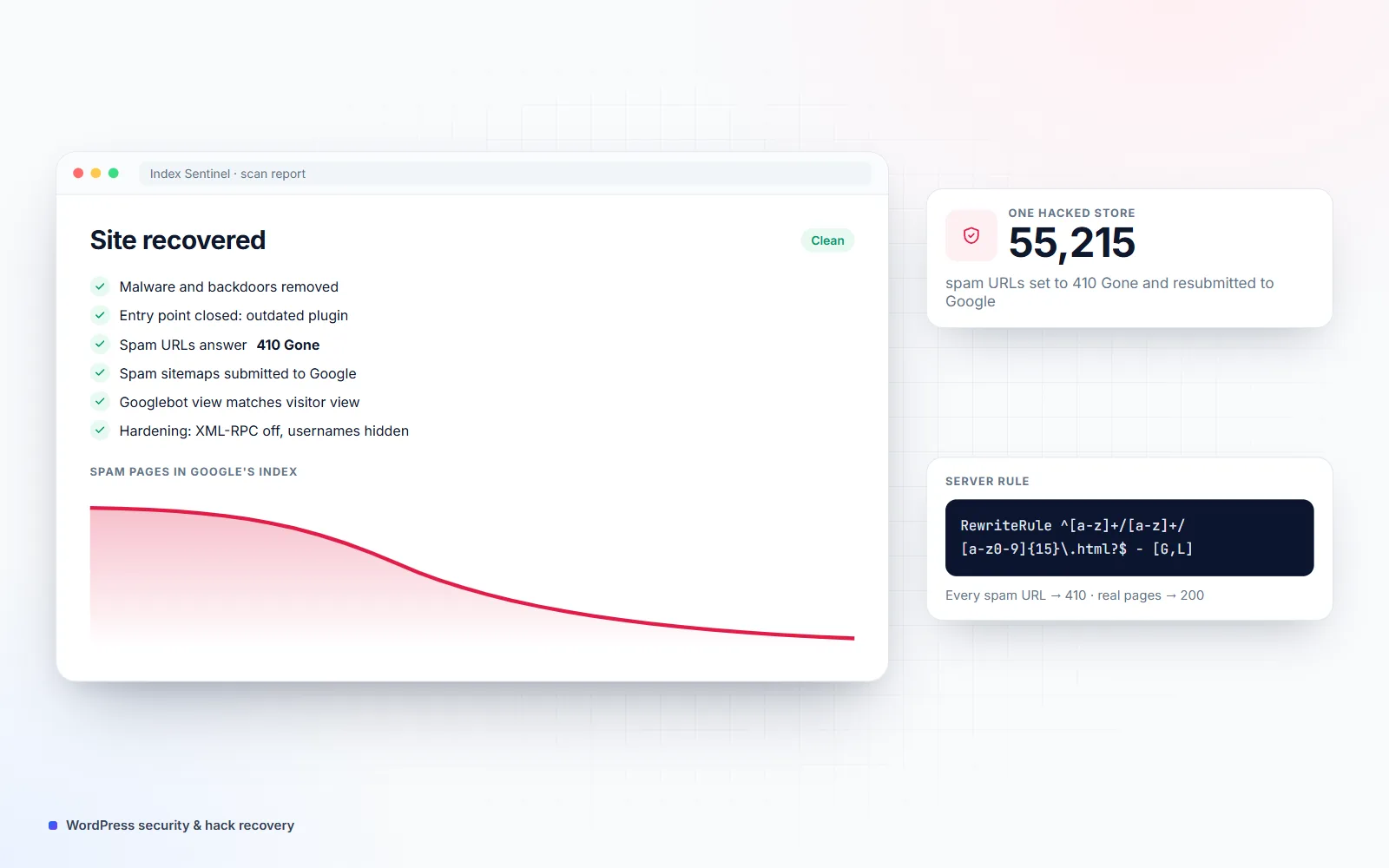
- spam URLs set to 410 Gone and resubmitted to Google on one hacked store
- 55,215
- spam pages Google had indexed on a site I recovered
- 100,000+
- free open-source WordPress security plugin I built: Index Sentinel
- 1
Is this you?
The problems this solves
Google shows Japanese or spam pages for your site
A site: search shows thousands of pages you never created, often in Japanese or selling products.
Visitors get redirected or see warnings
Mobile visitors land on spam sites, or Chrome and Google warn that the site may be hacked.
The hack keeps coming back
A plugin-based cleanup removed some files, but the backdoor stayed and the spam returned days later.
Traffic and rankings dropped overnight
Spam pages use up Google's crawl budget and your real pages lose visibility.
What you get
What this service covers
Specialized services
Japanese Keyword Hack Fix
Clean the Japanese SEO spam hack and get thousands of fake pages out of Google for good.
Learn moreWordPress Malware Removal
Malware, redirects and backdoors removed from files and database, the entry point closed and the site hardened.
Learn moreWhat's included
-
Full malware scan and cleanup
Core files, themes, plugins, uploads and the database checked against clean copies; injected code and backdoors removed.
-
Entry point closed
The vulnerable plugin, weak account or server setting that let the attacker in is found and fixed.
-
Google spam recovery
Spam URLs answer 410 Gone, a spam sitemap is submitted so Google re-crawls them quickly, and the index is tracked until they're gone.
-
Cloaking and redirect checks
Pages tested as Googlebot and as a mobile visitor, because many hacks only show spam to search engines.
-
Hardening
Updated software, unused plugins removed, usernames hidden, XML-RPC off, file editing locked and stronger logins.
-
Search Console cleanup
Security issues resolved in Search Console and Bing, and warnings cleared where the site was flagged.
-
Written report
What was found, what was fixed and what to watch — useful for your host or insurer.
-
Monitoring
Optional ongoing checks with Index Sentinel and a care plan, so you hear about problems first.
- Index Sentinel
- WP-CLI
- SSH
- server access logs
- Google Search Console
- Bing Webmaster Tools
- .htaccess rules
- Cloudflare
- LiteSpeed Cache
Real projects
Proof from live websites


Process
How we work together
-
01
Same-day triage
A backup of the current state is taken and the worst damage is contained the same day.
-
02
Clean at the source
Infected files and database entries are removed and the entry point is closed.
-
03
Recover in Google
Spam URLs return 410, spam sitemaps are submitted and indexing is tracked in Search Console.
-
04
Harden and monitor
Security hardening, a full report and monitoring to catch anything new early.
What to do in the first hour after a hack
- Don’t delete things in a panic. Removing files at random can destroy the evidence of how the attacker got in.
- Take a full backup of files and database, even though it’s infected — it’s your safety net.
- Change passwords for WordPress admins, hosting, FTP/SFTP and the database, and remove admin users you don’t recognize.
- Check Google Search Console for security issues and look at a site: search of your domain.
- Get help early. The longer spam stays live, the more of it Google indexes.
Why spam keeps showing in Google after a cleanup
Cleaning the files only fixes half the problem (Google’s security issues documentation covers the search side). Google remembers every spam URL it has seen and keeps re-checking them for weeks. If those URLs now redirect to your homepage or show a soft “not found” page, Google may keep them indexed or treat the redirects as suspicious. The fix is to make every spam URL return 410 Gone, list them in a temporary spam sitemap so Google re-crawls them quickly, and track the indexed count until it falls.
How I recovered a store with 55,215 spam URLs
A leather brand’s WooCommerce store had been hit by a Japanese keyword hack. Its server logs showed Googlebot still requesting the old spam pages tens of thousands of times — more than 71,000 “not found” responses and 61,000 redirects — which wasted crawl budget meant for real products.
All spam URLs followed one pattern, so I wrote a single server rule that answers every one of them with 410 Gone while real pages keep returning 200. I then pulled 55,215 unique spam URLs from the access logs, split them into two spam sitemaps and submitted them in Search Console so Google would re-crawl and drop them quickly.
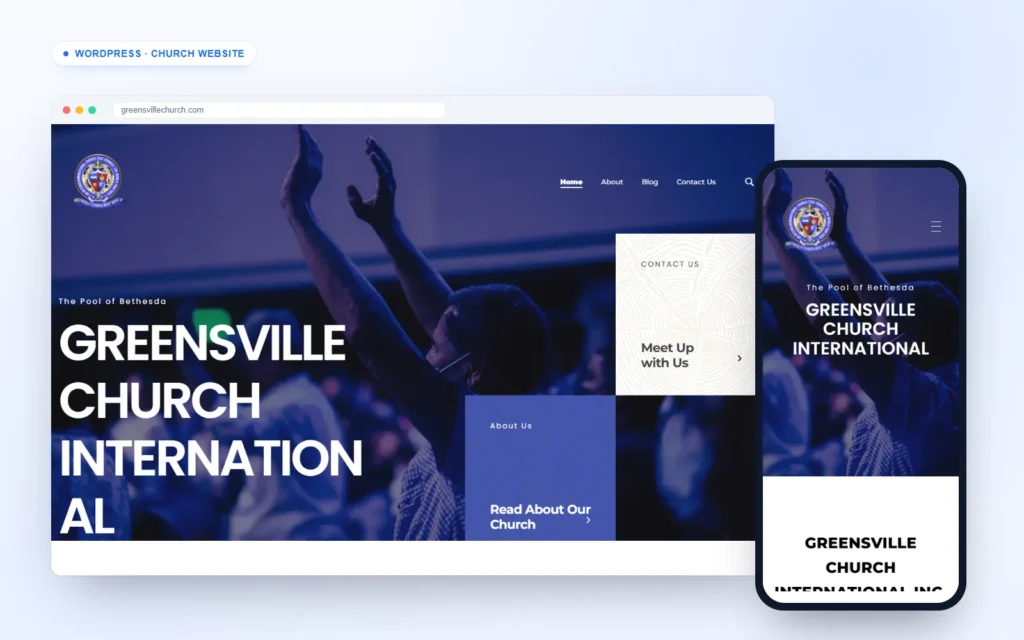
The same method is clearing a church website that had tens of thousands of Spanish-language spam results in Google, and my own site, where Google had indexed more than 100,000 spam pages after a July 2026 infection.
Index Sentinel: the free plugin I built from this work
Many infections only show spam to search engines, so owners don’t notice for months. Index Sentinel is a free, open-source WordPress plugin I built to catch that early: it scans file integrity, checks your pages the way Googlebot sees them, watches your Google index through Site Kit and tracks a spam cleanup to the end.
Pricing
How much does it cost?
Clear starting prices in USD. You get a fixed quote before any work starts, and nothing is billed until you approve it.
Malware Cleanup
From $250 per site
For a hacked site without large-scale spam in Google.
- Full scan and cleanup
- Entry point found and closed
- Security hardening
- Written report
Hack + Google Spam Recovery
From $450 per site
For Japanese keyword hacks and SEO spam showing in Google.
- Everything in Malware Cleanup
- 410 rules for every spam URL
- Spam sitemaps and Search Console work
- 30 days of index tracking
Protect & Monitor
From $49 per month
Keep a clean site clean.
- Weekly malware and cloaking checks
- Updates and off-site backups
- Google index monitoring
- Priority help if anything happens
Compare
How this compares to your other options
| Question | Working with me | Security plugin cleanup | Large security company |
|---|---|---|---|
| Removes the spam from Google, not just the files | Yes — 410 rules, spam sitemaps and tracking | No | Sometimes, as an extra |
| Finds how the attacker got in | Yes, by hand | Partly | Yes |
| Checks pages as Googlebot sees them | Yes | Rarely | Sometimes |
| Who you deal with | One developer, start to finish | Self-service | A support ticket queue |
| Pricing | Fixed quote up front | Yearly subscription | Yearly subscription |
FAQ
Frequently asked questions
How do I know if my WordPress site is hacked?
Common signs are pages in Google you didn't create (search site:yourdomain.com), Japanese or pharmacy text in your results, visitors redirected on mobile, admin users you don't recognize, a sudden traffic drop or a "This site may be hacked" warning. Some hacks only show spam to Google, so a site can look normal to you and still be infected.
What is the Japanese keyword hack?
A common WordPress infection that creates thousands of auto-generated pages in Japanese — usually fake shop or product pages — to profit from your domain's reputation. The pages are often shown only to Google, so owners notice nothing until traffic drops or someone searches their domain.
How long does it take Google to remove spam pages after a cleanup?
Google drops pages as it re-crawls them. Returning 410 Gone and submitting a sitemap of the spam URLs speeds this up a lot: small infections usually clear in a few weeks, while very large ones with 100,000+ URLs can take a few months. I track the indexed count in Search Console so you can watch it fall.
Should hacked pages return 404 or 410?
410 Gone. Both tell Google the page doesn't exist, but 410 says it's permanent and intentional, so Google tends to drop it faster. I add the 410 rules at the server level so they're fast and don't depend on WordPress.
Will I lose content or orders during the cleanup?
No. I take a full backup first, work only on the infected parts and keep orders and customer data intact on stores. If anything has to go offline briefly, we agree on the timing first.
Can't a security plugin fix it?
Plugins are good at spotting known malicious files, but they often miss database injections, hidden backdoors and the spam pages Google has already indexed — which is why many hacks come back after a plugin-only cleanup.
How do I stop it happening again?
Keep WordPress, themes and plugins updated, remove anything unused, use strong unique passwords with two-factor login, keep off-site backups and monitor for changes. A care plan covers all of this for you.
Other services
All services →Hacked right now? Let's contain it today
Send me your site address and what you're seeing. I'll check it the same day and tell you exactly what's wrong and what it costs to fix.