
Workflow Automation
Business Workflow Automation with n8n, Make, Zapier & Custom Code
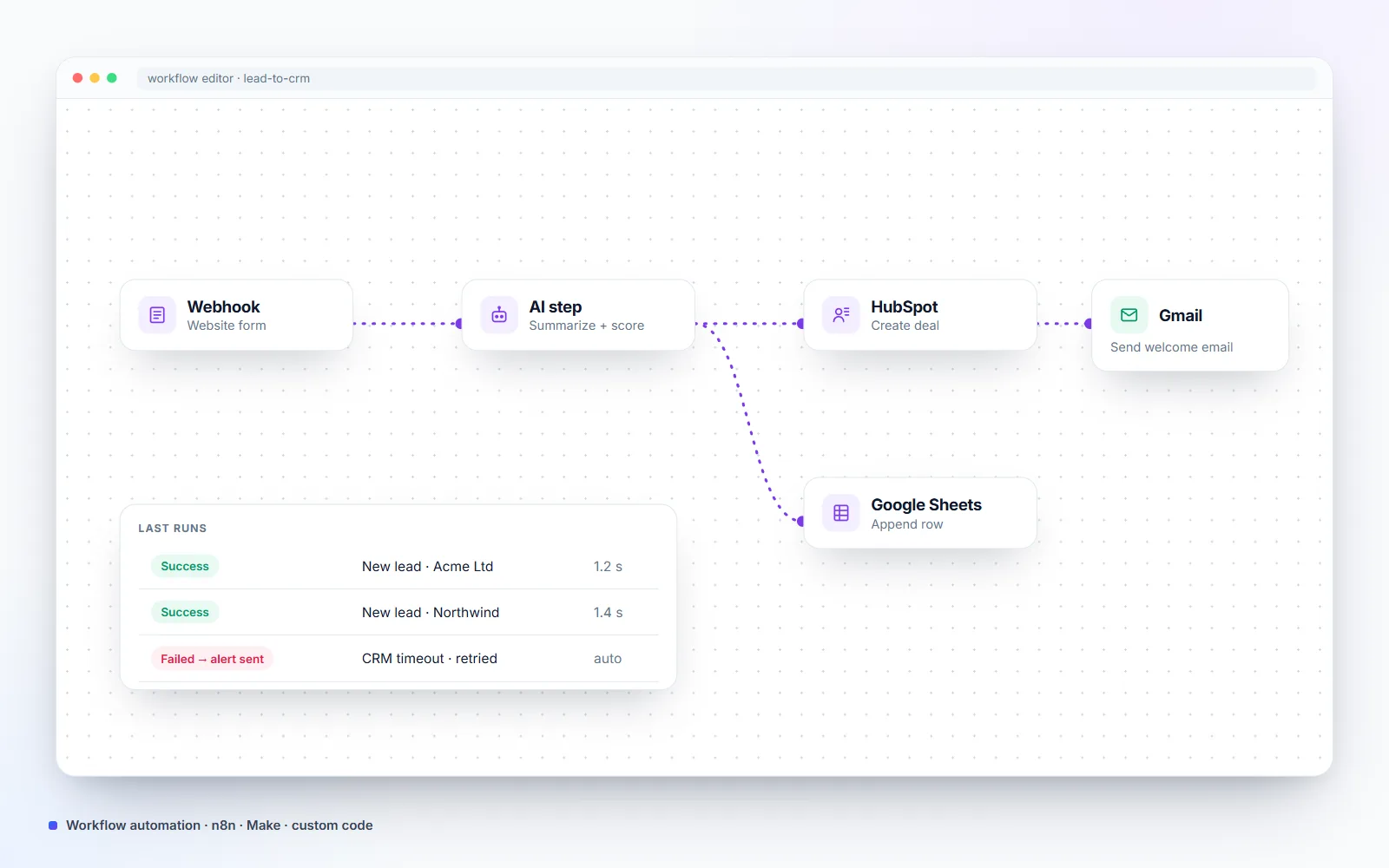
With workflow automation, I connect your website, CRM, email, spreadsheets and store so data moves on its own: new leads land in the CRM with a summary, orders reach the courier, invoices are created and your team gets an alert. I use n8n, Make or Zapier where they fit and custom code where reliability matters, with logging and alerts on every workflow.
- Building for clients since 2021
- 25+ live client websites
- Clients in the US, UK, Canada & Europe
Is this you?
The problems this solves
Copy-paste between tools
The same order, lead or customer is typed into three different systems.
Things fall through the cracks
Follow-ups, invoices and stock updates depend on someone remembering.
Fragile automations
Zaps that stop silently when an app changes, with nobody alerted.
What you get
What's included
-
Lead routing
Form and chat leads enriched, summarized by AI and sent to the right CRM stage and person.
-
Order automation
WooCommerce orders pushed to couriers, accounting, spreadsheets or fulfilment, with status updates back to the customer.
-
AI processing steps
Classify, summarize, extract data from emails or documents and draft replies inside the workflow.
-
Scheduled reports
Daily or weekly numbers from your store, ads and analytics delivered to email or Slack.
-
Content and social automation
Posts prepared, approved and published across platforms on a schedule.
-
Monitoring
Every run logged, with an alert to you when something fails.
- n8n
- Make
- Zapier
- Webhooks
- REST APIs
- OpenAI API
- Claude API
- WooCommerce
- Google Sheets
- HubSpot
- Slack
- Gmail
Process
How we work together
-
01
Map the process
We write down the steps, tools and people involved today.
-
02
Choose the tool
n8n, Make, Zapier or custom code — chosen for reliability and running cost, not habit.
-
03
Build and test
Built on test data, then run against real past examples.
-
04
Launch with alerts
Live with logging, failure alerts and a hand-over document.
Example workflows I build
- Website lead → CRM: a form submission is checked for spam, summarized by AI, scored, added to the CRM and acknowledged by email within a minute.
- New order → courier: a WooCommerce order creates the shipment with the courier, saves the tracking number and notifies the customer.
- Inbox triage: incoming emails are classified (sales, support, invoice, spam), and draft replies are prepared for approval.
- Weekly report: sales, ad spend and traffic pulled into one short summary every Monday.
- Social publishing: approved posts published to Facebook, Instagram, LinkedIn, X and YouTube on schedule — the same kind of system I run for my own brand.
Why I often write the automation in code
No-code tools such as n8n are excellent for connecting popular apps. But when a workflow lives next to your website or store, a small piece of custom code is usually faster, cheaper to run and doesn’t break when a third-party step changes. I use whichever is more reliable for the job and explain the trade-off before building. More on AI automation.
Pricing
How much does it cost?
Clear starting prices in USD. You get a fixed quote before any work starts, and nothing is billed until you approve it.
Single Workflow
From $350
One workflow between your tools.
- Process map and plan
- Built and tested
- Failure alerts
- Hand-over video
Automation Package
From $1,200
Up to four connected workflows.
- AI steps where useful
- Shared logging and alerts
- Documentation
- 30 days of support
Compare
How this compares to your other options
| Option | Best for | Running cost | Watch out for |
|---|---|---|---|
| Custom code (in WordPress or a small server script) | Workflows that touch your site, store or customer data | Lowest at scale | Needs a developer to change |
| n8n (self-hosted or cloud) | Complex flows, AI steps, high volume | Low, especially self-hosted | Needs hosting and updates if self-hosted |
| Make | Visual multi-step flows between popular apps | Medium, priced per operation | Costs grow with volume |
| Zapier | Quick, simple app-to-app connections | Highest per task | Limited logic, costs grow fast |
FAQ
Frequently asked questions
Should I use n8n, Make or Zapier?
Zapier is quickest for simple app-to-app connections, Make handles visual multi-step flows well, and n8n is best for complex flows, AI steps and high volume at low cost. When a workflow touches your website or customer data, custom code is often the most reliable choice. I recommend based on your volume, budget and who will maintain it.
Can you self-host n8n for me?
Yes. Self-hosting n8n keeps your data on a server you control and removes per-task fees. I set it up with backups, updates and access control, or use n8n Cloud if you prefer not to manage a server.
What happens when a step fails?
Every workflow logs its runs and alerts you by email or Slack on failure, with retries where it's safe. You won't find out from a customer.
Who owns the automations?
You do. They run on your accounts, and you get documentation and all credentials. Nothing is locked to my accounts.
Related services
All services →Which of your daily tasks could run on its own?
Tell me about the work your team repeats every day. I'll map it and quote a fixed price for automating it.