
AI Chatbot
AI Chatbot for WordPress & WooCommerce That Answers From Your Own Content
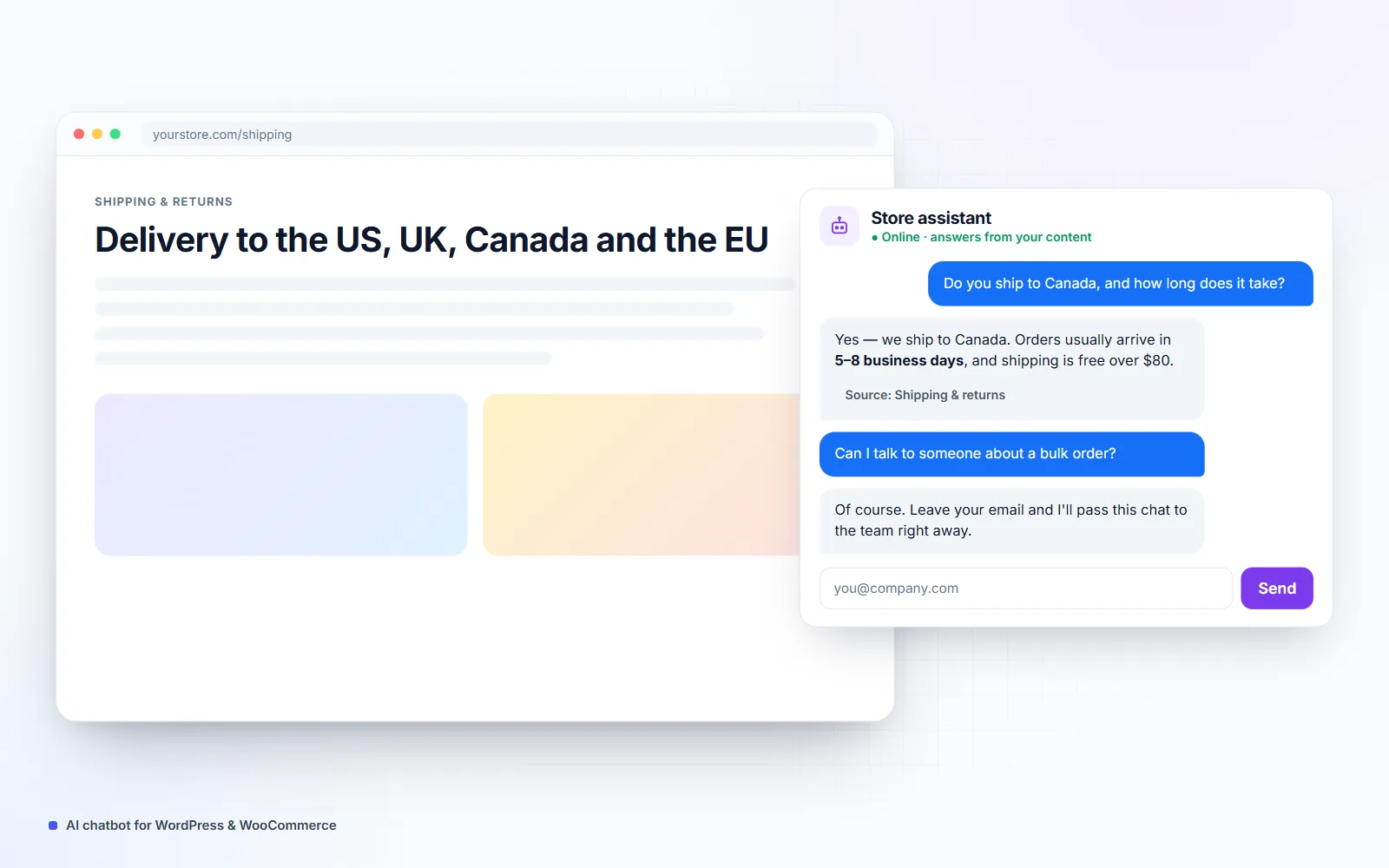
I add an AI chatbot to your WordPress or WooCommerce site that answers customers from your own pages, FAQs, policies and product data — not from the open internet. It captures leads, hands complex questions to a person and logs every conversation, so you can see what customers ask and keep improving the answers.
- Building for clients since 2021
- 25+ live client websites
- Clients in the US, UK, Canada & Europe
Is this you?
The problems this solves
The same questions arrive every day
Delivery times, returns, sizes and prices — your team answers them again and again.
Visitors leave when nobody replies
Questions asked at night or on weekends go unanswered until the buyer has gone elsewhere.
Generic chatbots give wrong answers
Tools that rely on general AI knowledge invent policies, prices and promises.
What you get
What's included
-
Answers from your own content
Your pages, FAQs, policies and documents are indexed so every answer is grounded in what you've published.
-
Product and store questions
Stock, variations, sizes and shipping answered from live WooCommerce data.
-
Lead capture
Name, email or phone collected when a visitor is ready to talk, and sent to your inbox or CRM.
-
Human hand-off
Complex or sensitive questions passed to you by email or WhatsApp with the conversation attached.
-
Your brand and tone
Name, colors, greeting and writing style matched to your business.
-
Conversation logs
Every chat stored in your WordPress admin, so you can review answers and spot new FAQs.
-
Limits and safety
No made-up discounts or promises: when the answer isn't in your content, it says so.
- OpenAI API
- Claude API
- embeddings / RAG
- WordPress REST API
- WooCommerce REST API
- PHP
- JavaScript
Process
How we work together
-
01
Collect your content
We list the pages, FAQs, policies and product data the assistant should use.
-
02
Build and ground
I set up retrieval over your content, connect the AI model on your own account and add the website widget.
-
03
Test with real questions
We test with real customer questions from your inbox and fix weak answers before launch.
-
04
Launch and review
Go live, then review the logs together after the first week and improve.
What is a RAG chatbot and why doesn’t it make things up?
A RAG (retrieval-augmented generation) chatbot doesn’t rely on what an AI model remembers from the internet. Each time a visitor asks a question, it first searches your own content — pages, FAQs, policies, product data — and then writes the answer from those passages only. If nothing relevant is found, it says it doesn’t know and offers a person instead. That’s the difference between a helpful assistant and one that invents a returns policy.
What a good WordPress chatbot should do
- Answer the top 20 questions your team gets, instantly and correctly.
- Show where the answer came from, with a link to the page.
- Collect contact details when a visitor is ready to buy or book.
- Hand over to a person with the full conversation attached.
- Load lightly, so it doesn’t slow your site or hurt Core Web Vitals.
- Keep conversations in your own WordPress database, not only in a third-party dashboard.
Built into your site, owned by you
I build the assistant as part of your WordPress site or as a small service you own, connected to AI on your own account (OpenAI does not train on API data by default). There’s no per-seat subscription, you can change AI providers later, and the content it learns from updates automatically when you edit your pages. It’s part of my wider AI automation work.
Pricing
How much does it cost?
Clear starting prices in USD. You get a fixed quote before any work starts, and nothing is billed until you approve it.
AI Assistant
From $900
A chatbot that answers from your own content.
- Up to 50 pages and documents
- Website widget in your brand
- Lead capture and hand-off
- Conversation logs in WordPress
AI Assistant Pro
From $1,800
For stores and busy sites.
- Live WooCommerce product data
- Order status with customer verification
- CRM or helpdesk hand-off
- Monthly answer review
FAQ
Frequently asked questions
How does an AI chatbot learn about my business?
It doesn't need training in the old sense. Your pages, FAQs and documents are split into small passages and indexed; when a visitor asks something, the chatbot finds the most relevant passages and the AI writes an answer using only those. This approach is called retrieval-augmented generation (RAG).
Can the chatbot check order status?
Yes, on WooCommerce stores. The customer confirms their order number and email or phone, and the assistant reads the status, shipping method and tracking details from your store.
What does it cost to run each month?
The AI usage runs on your own OpenAI or Anthropic account. For a typical small business that's a few dollars to a few tens of dollars a month, with a usage limit set so it can never surprise you.
Which AI model do you use?
I choose the model per task: a fast, low-cost model for everyday questions and a stronger one only when needed. You can switch providers later without rebuilding the chatbot.
Does it work in other languages?
Yes. It can answer in the visitor's language while still using your content as the source, which is useful for stores selling across Europe.
Related services
All services →See what an AI assistant would answer on your site
Send me your site address. On a free call I'll show you which questions it could handle and what it would cost to run.