

The Problem
SEO spam hacks, like the Japanese keyword hack, hide thousands of fake pages on a WordPress site. They often show the spam only to Googlebot, so the owner sees a normal site while Google fills up with junk pages.
By the time the owner notices, real pages have lost their rankings. Most security plugins look only at files. They do not tell you what Google is actually indexing, or when a strange URL starts getting impressions.
The Solution
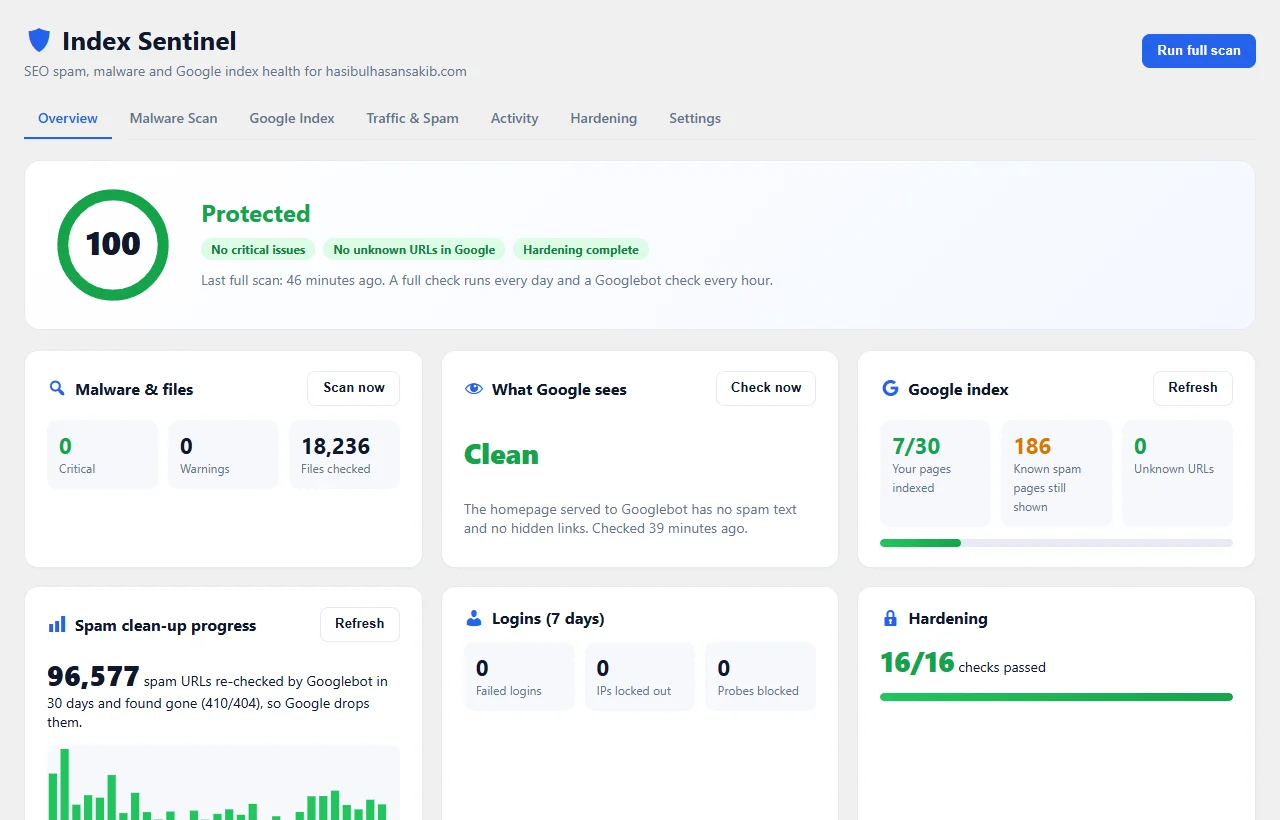
Index Sentinel watches both sides of the attack: your files and your Google results.
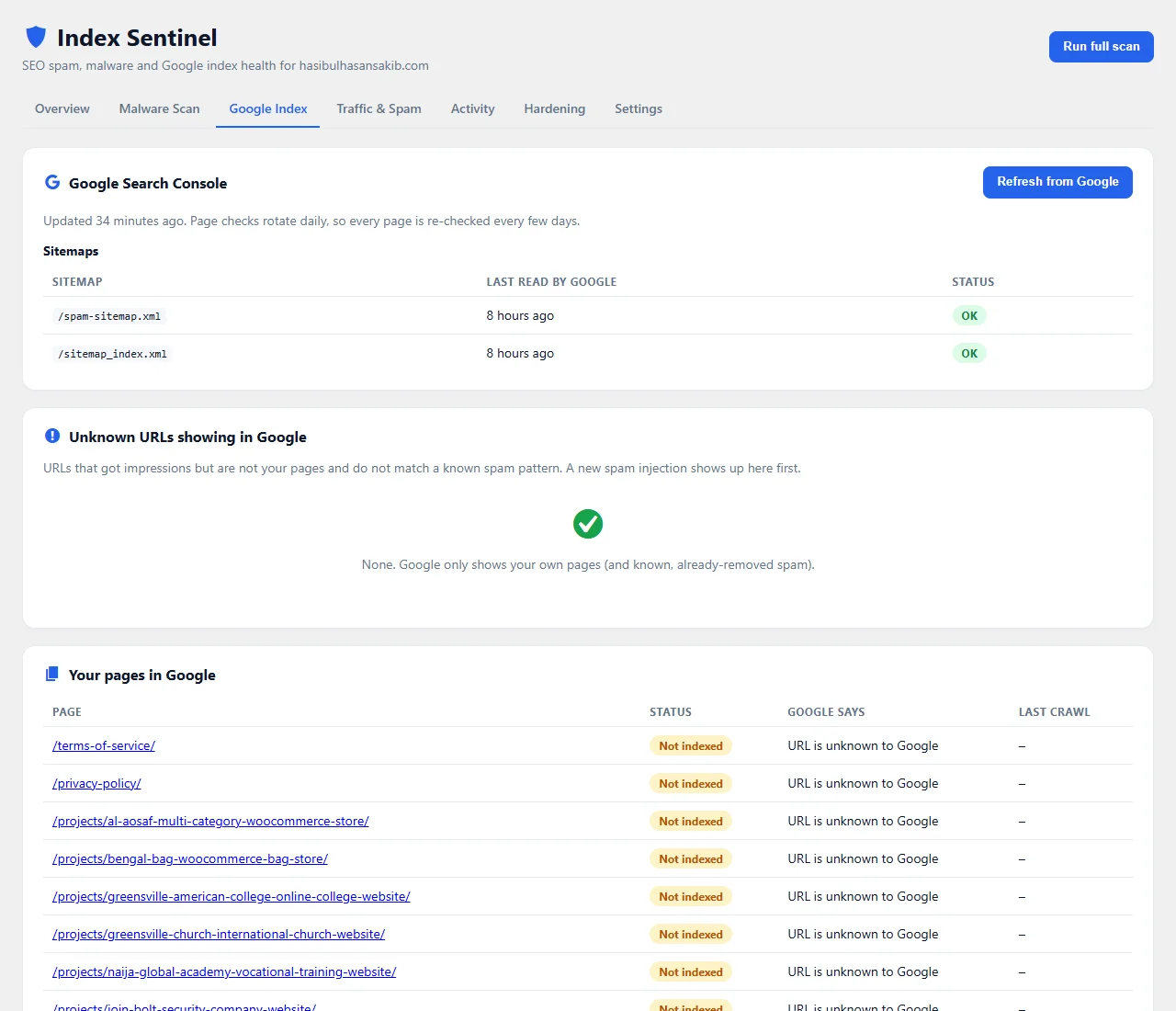
It checks your files against official checksums and a trusted baseline. Every hour it fetches your homepage the way Googlebot does. With Site Kit by Google connected, it lists every URL that gets impressions and flags any URL that is not yours. That is the earliest warning of a new spam injection.
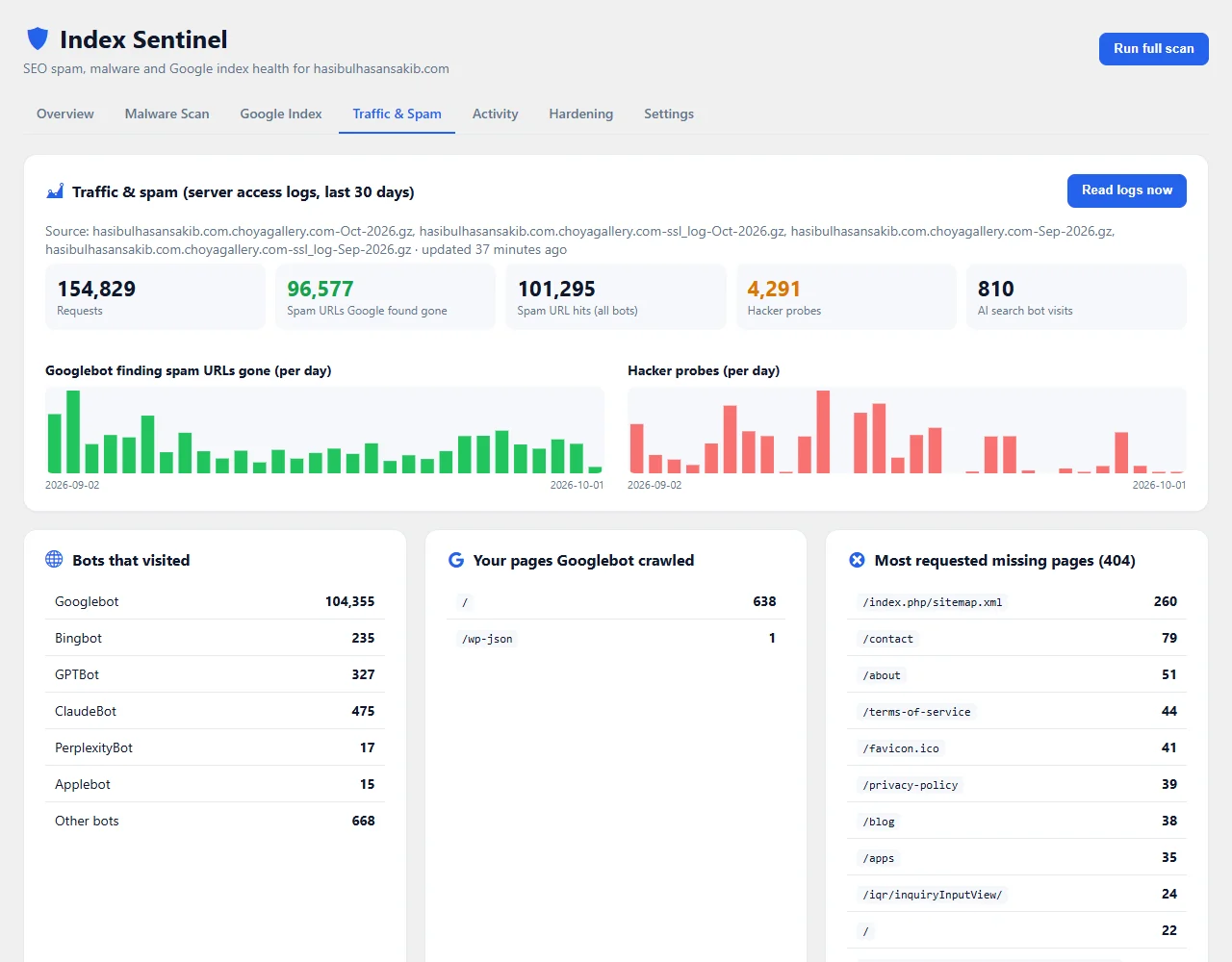
After a hack, it reads your server log and shows how many spam URLs Googlebot re-checks and finds gone each day, until Google forgets them.
Key Features
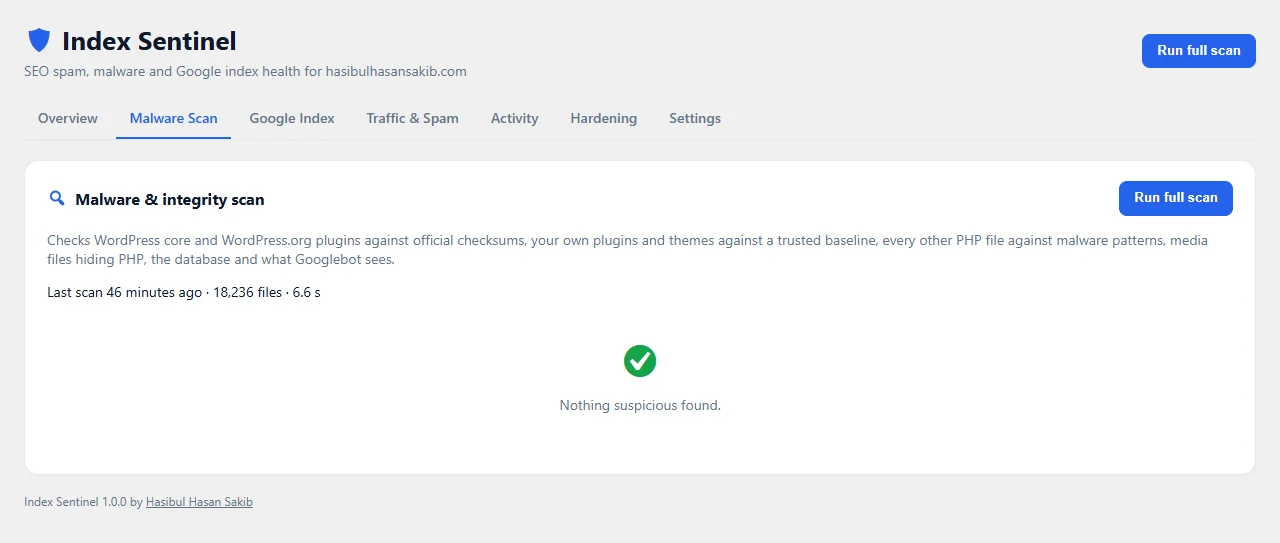
- Malware & integrity scan: core and WordPress.org plugins vs. official checksums, your own code vs. a trusted baseline, malware signatures for everything else.
- Hacker trick detection: PHP hidden in images or fonts, hidden PHP files, PHP in uploads and self-nested folders.
- Googlebot cloaking check every hour: spam text and hidden links shown only to Google.
- Google index monitor through Site Kit: indexed pages, sitemaps and unknown URLs with impressions.
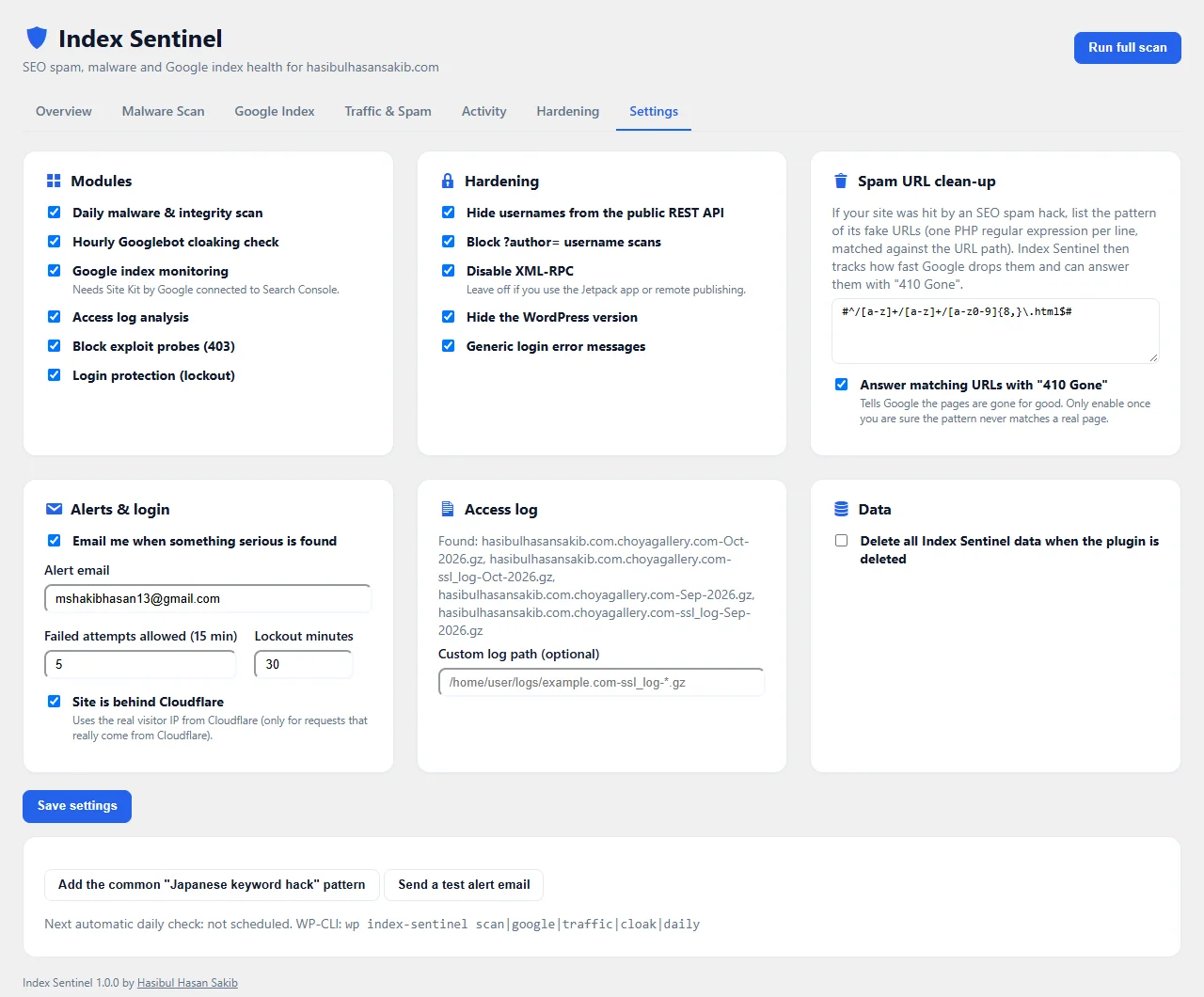
- Spam clean-up tracker from your access log, with optional "410 Gone" for spam URLs.
- Traffic insights: Googlebot, Bingbot, ChatGPT, Claude and Perplexity visits, hacker probes and top 404s.
- Login protection: IP lockout, login log and instant alerts for new administrators.
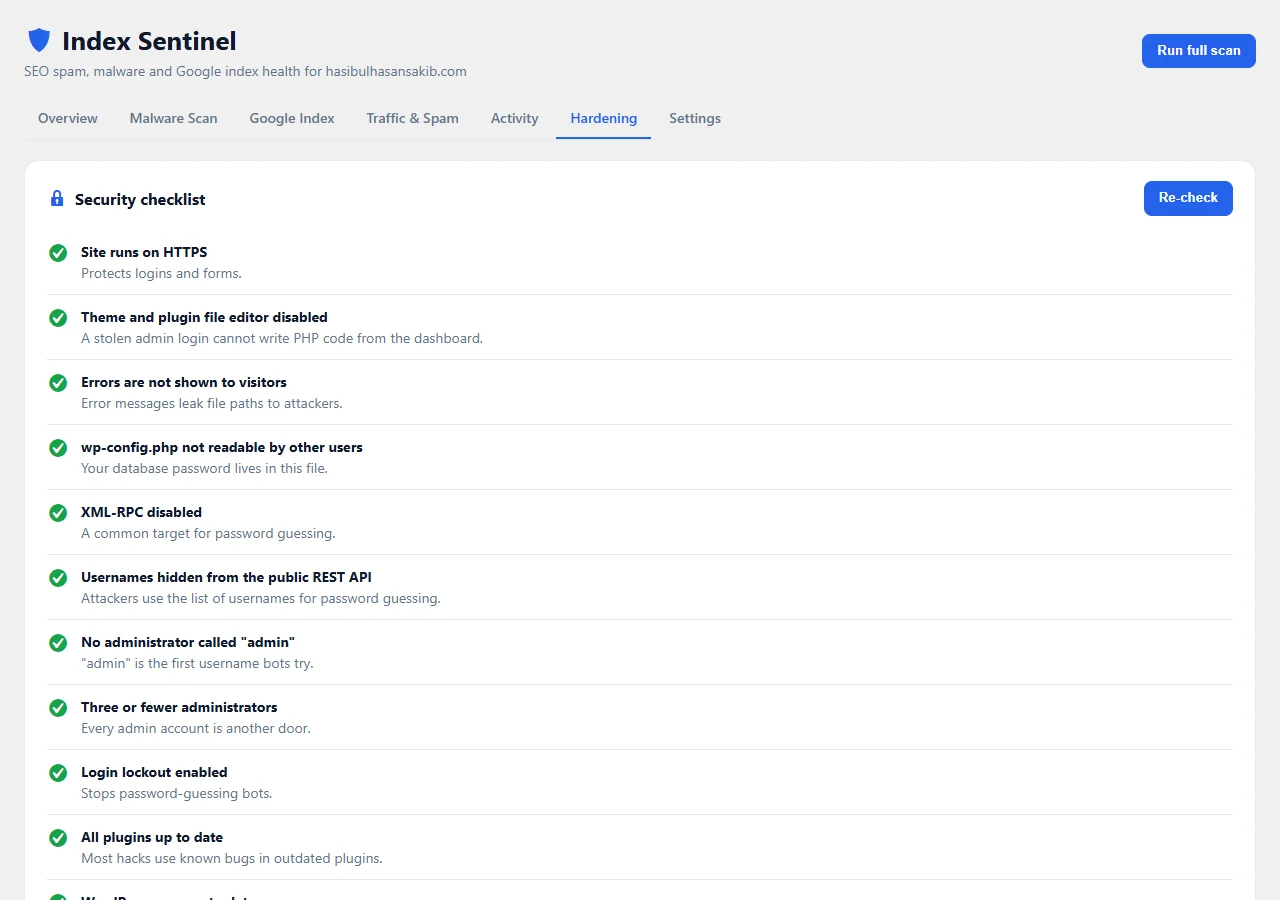
- Hardening switches and a checklist that explains every fix.
- One-click quarantine and restore for suspicious files.
- Smart email alerts, a dashboard widget and WP-CLI commands.
Screenshots
How It Works
Index Sentinel runs a full check once a day in the background and a quick Googlebot check every hour. Results appear on one dashboard with a 0 to 100 score and a card for each area.
You get one email per new serious problem, never the same alert twice. Every module can be switched off, and nothing is deleted automatically: suspicious files go to a locked quarantine folder that you can restore from with one click.
Built from a real clean-up
This plugin started on my own website. A “Japanese keyword hack” had pushed more than 130,000 spam pages into Google’s index. The site looked normal to me, because the spam was shown only to Googlebot.
I removed the backdoor, made every spam URL answer “410 Gone” and hardened the server. Then I needed a way to see the clean-up working, and to know at once if the spam ever came back. No existing plugin showed both the files and the Google side in one place, so I built Index Sentinel.
In the first 30 days it showed Googlebot re-checking about 96,000 spam URLs and finding them gone. You can follow the same progress on your own site.
Install in two minutes
- Download the zip and go to Plugins → Add New → Upload Plugin in WordPress.
- Activate it, open Index Sentinel and click Run full scan.
- Optional: add the spam URL pattern of a past hack in Settings. One click adds the common Japanese keyword hack pattern.
- Optional: connect Site Kit by Google to see your Google index status.
Everything then runs on its own: a full check every day and a Googlebot check every hour. You only get an email when something serious and new is found.
Need help with a hacked site?
If your site is already infected, or Google shows pages you never made, I can clean it, close the hole and help Google forget the spam. Tell me what you see and I will reply with a clear plan.
Frequently Asked Questions
What is the Japanese keyword hack?
It is an SEO spam hack that creates thousands of fake pages, often with Japanese text, at URLs like /word/word/abc123xyz.html. The pages are usually shown only to Google, so the site owner does not see them.
How do I know if my WordPress site has SEO spam?
Search Google for site:yourdomain.com and look for pages you never made. Index Sentinel does this for you through Search Console and also checks what Googlebot sees on your homepage every hour.
Does Index Sentinel remove malware automatically?
No. It finds suspicious files and lets you quarantine each one with one click, and restore it if it was a false alarm. Automatic deletion can break a site, so you stay in control.
Is Index Sentinel free?
Yes. It is free and open source under the GPL. There is no account, no API key, no tracking and no ads.
Do I need Site Kit by Google?
Only for the Google index features. The malware scan, cloaking check, traffic insights, login protection and hardening all work without it.
Can you clean my hacked WordPress site?
Yes. I clean hacked WordPress sites, close the security hole and help Google drop the spam pages, for businesses in the USA, UK, Canada and Europe. Send me a message with your site address.
